Introducing the customisable Agentcy dashboard
Tom Fry
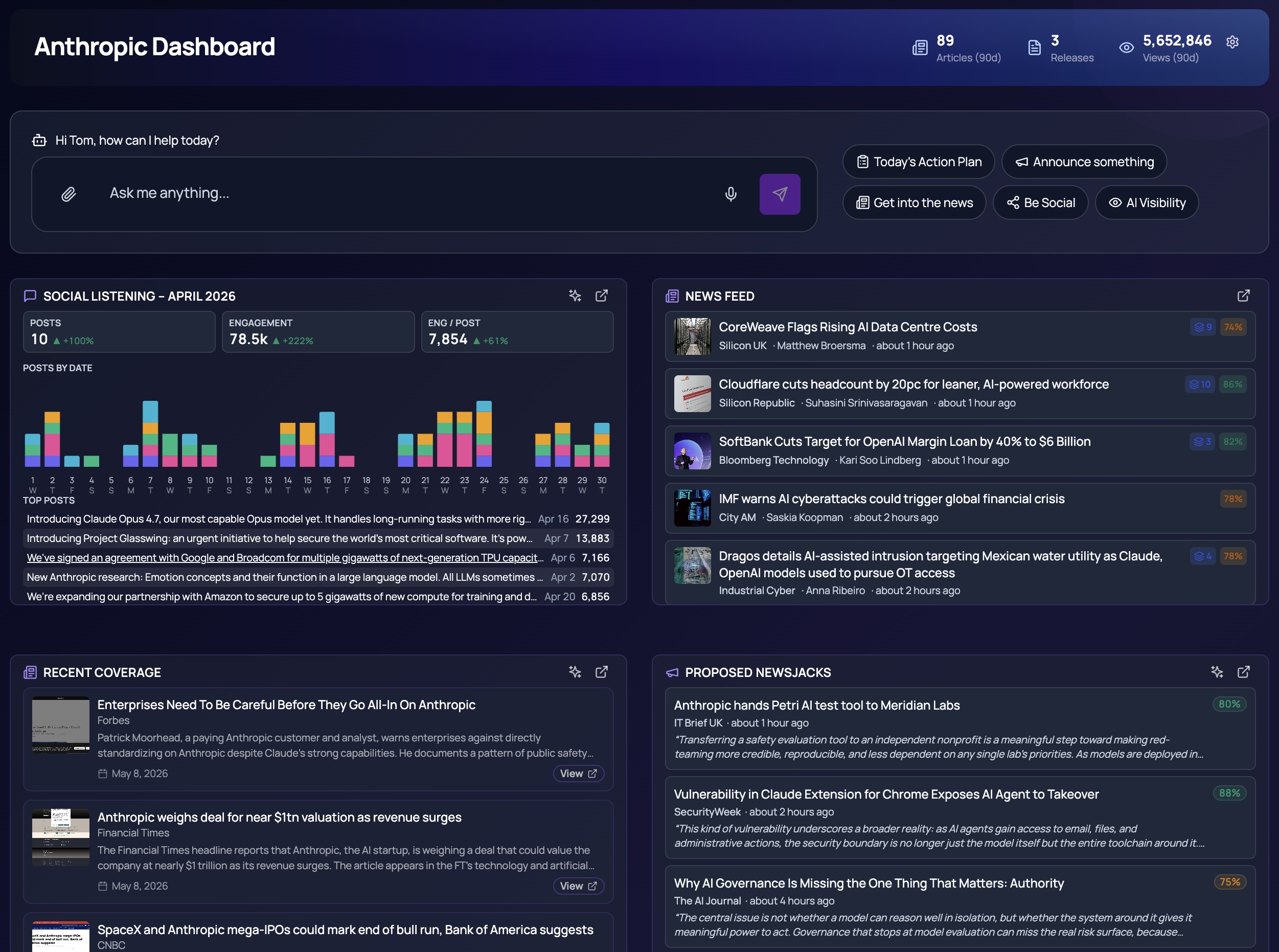
Every PR team works differently. Some live in coverage, some in social listening, some in newsjacking. The information that matters to a managing director isn''t the same as what an account exec needs at 9am, and a four-client portfolio looks nothing like a thirty-client one. Until now, Agentcy gave everyone the same starting view. Today we''re changing that.
The new customisable Agentcy dashboard turns the home screen into a workspace you can shape around your role, your clients, and your day. Two surfaces are launching together: a per-client dashboard for deep, single-brand work, and an agency dashboard for the cross-portfolio view. Both are built around the same idea — Agentcy gives you a sensible starting layout, and from there you decide what stays, what goes, and what gets pride of place.
A workspace, not a fixed page
Drag tiles to reorder them. Resize the ones that benefit from extra space. Add new tiles from a growing library, or remove the ones you don''t need. Bind a tile to a single client, or set it to cycle through several clients with prev/next chrome — handy when you''re running a portfolio and want one place to flip through them. Open the cog at any time, change your mind, save. Agentcy remembers your layout per user, per agency, per client.
And if you''ve never customised anything, Agentcy still picks a sensible default for you the first time you land on either dashboard — so the workspace is useful before you click a thing.
Built around how you actually use it
The point of customisation isn''t novelty — it''s relevance. A dashboard that''s tuned to your work removes friction every single morning. Information you need is one glance away; information you don''t isn''t cluttering the surface. The same Agentcy account looks different for the strategist, the senior account director, and the new joiner — because they''re each looking at the slice that matters to them.
Quick links, your way
The new Bookmarks tile lets you pin links to anywhere — pages inside Agentcy, dashboards in another agency you have access to, or external destinations like a Slack channel, a shared Notion page, a Looker board, a calendar invite. Each link gets a label, a colour, and a width, so the tile becomes a personal launchpad for whatever sits next to your day-to-day work in Agentcy.
What''s next
This is the foundation. Over the coming weeks we''ll add more tiles, more bindings, and more ways to assemble the surface. Tell us what you''d want at-a-glance and we''ll build it — that''s how Agentcy gets better.
Open your dashboard, click the cog, and make it yours.